LESS WAITING. BETTER PICKS.
The good ones.
Found faster.
Fast RAW browsing for your biggest shoots.
Find your keepers. Get back to creating.
Mac app · Apple silicon & Intel · Beta
01 / THE BURST EDITOR
Compare the moment.
Keep the best.
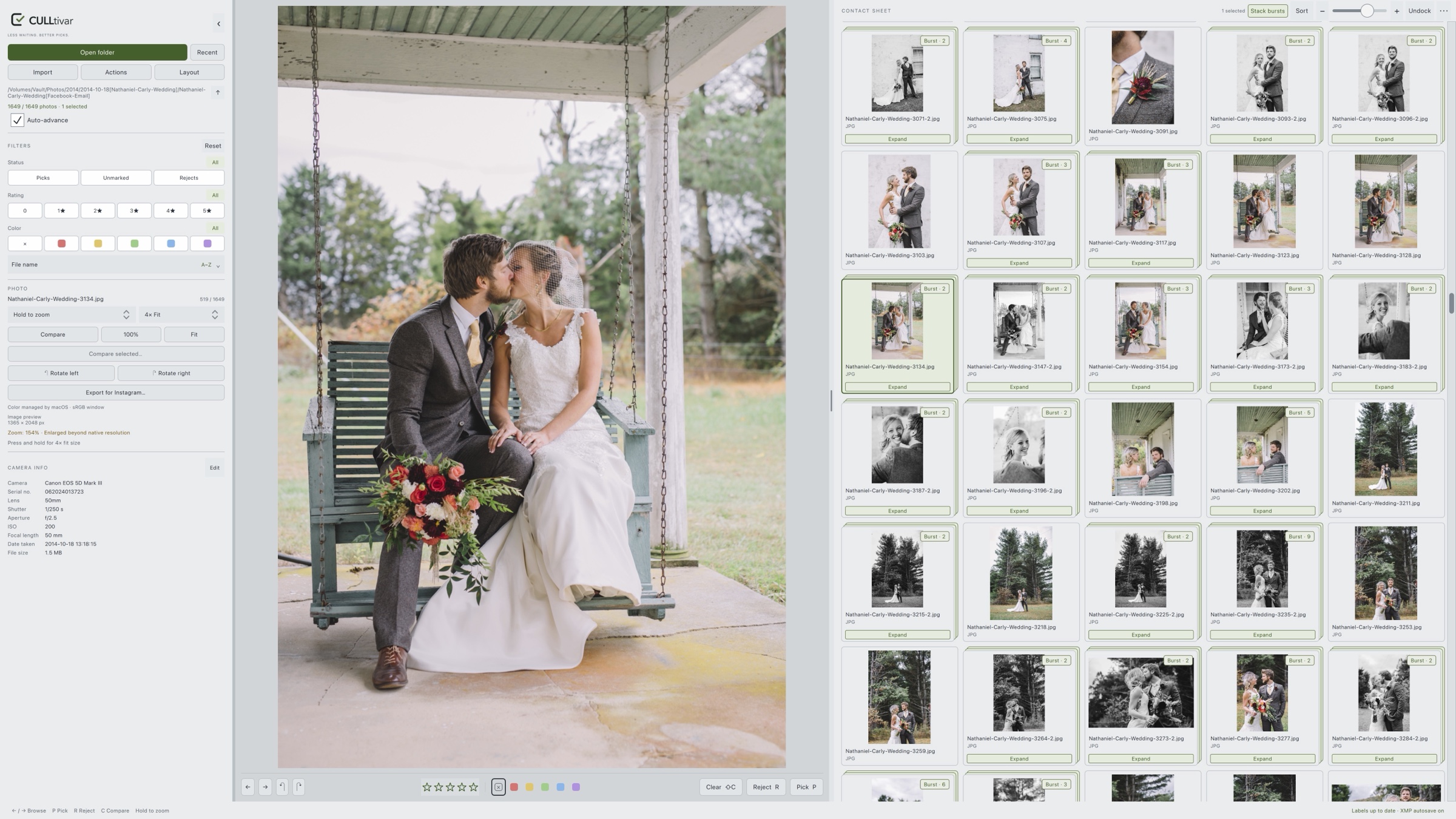
A glance, a laugh, the kiss. Keep nearby shots together in a stack, then compare up to 10 photos side by side. See the differences and choose your keepers without losing your place.
THE DETAILS THAT DECIDE IT
See the faces.
Make your choice.
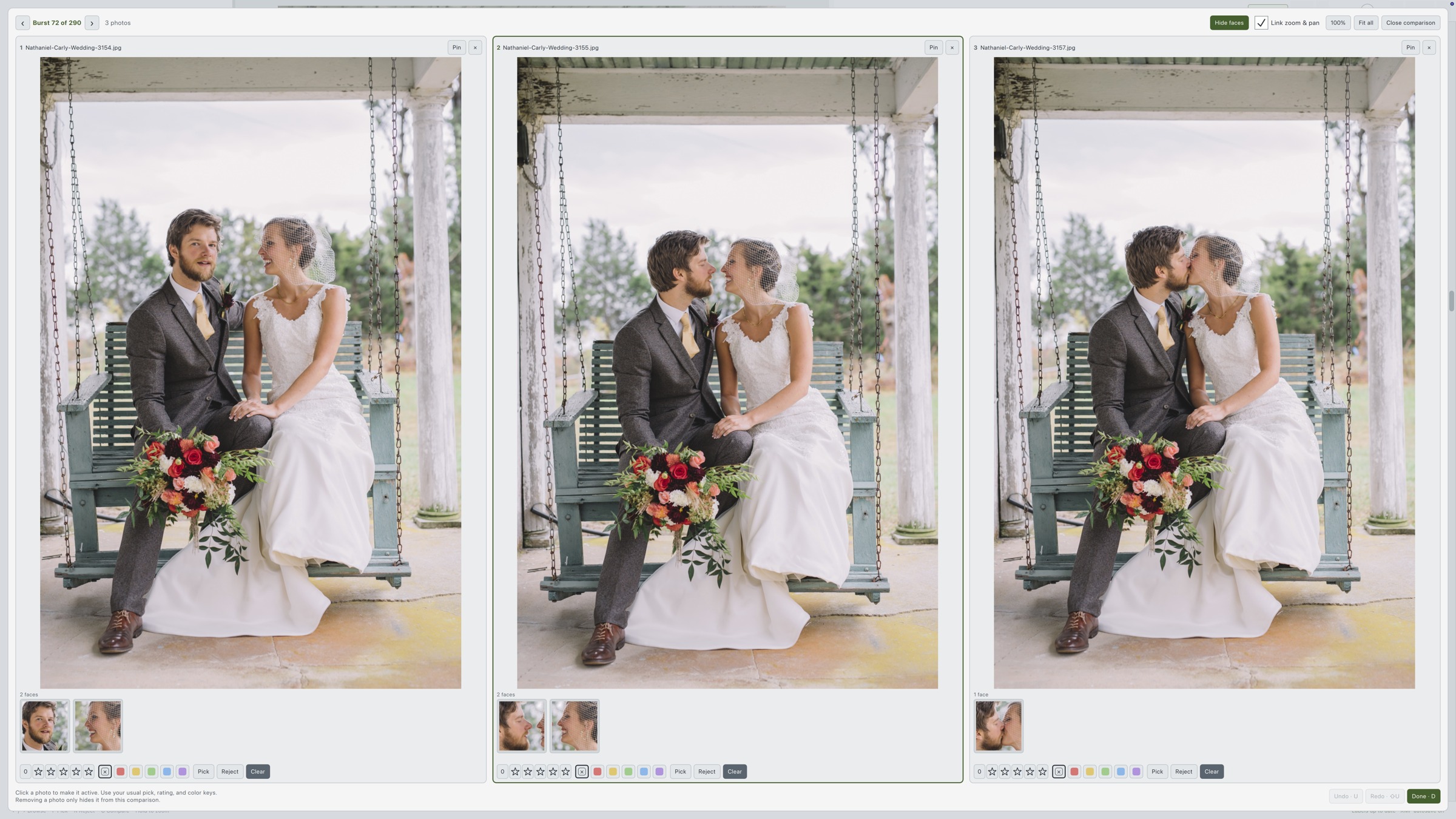
Face close-ups and selection controls stay beside your photos, so you can check an expression and mark a keeper in the same view.
- Look closer, together.Link zoom and pan to check the same detail across your photos.
- Find the expression.Automatic face previews help you compare smiles and expressions, processed locally on your Mac.
- Make the call. Move on.Pick, reject, rate, and color in place. Picked-burst indicators show which stacks already have a keeper.
02 / MAKE IT READY TO SHARE
Instagram-ready photos.
Borders included.
Take one favorite—or a whole selection—from keeper to Instagram-ready JPEG. Choose a format, drag the photo into place, and give it room to breathe with a white border.
- Square, portrait, landscape, and Story presets.
- Each photo keeps its own crop, size, and border.
- Maximum-quality sRGB JPEG exports. Originals stay untouched.
Saved to your folder. Shared when you’re ready.
BUILT FOR THE BIG SHOOTS
Fast RAW browsing.
Made for big wedding days.
Thousands of photos. Fleeting expressions. One story to tell. Culltivar helps you move through a wedding shoot quickly, choose the moments that matter, and take your keepers into your editing workflow.
- Start with the first photos. Browse and make picks while the rest of the folder loads or your card imports.
- Look closer when it counts. Fast camera previews for browsing, with RAW detail available to check focus.
- Make the selection, then edit. Compare bursts, check faces, and save stars and colors to XMP sidecars for your editing workflow.
BRING YOUR CAMERA
Your cameras. Your files.
Canon · Nikon · Sony · Fujifilm
Panasonic · Olympus / OM System · DNG
Formats & compatibility
Common formats include CR2, CR3, NEF, ARW, RAF, RW2, ORF and DNG, alongside JPEG, TIFF, HEIF and more.
Compatibility varies by camera model and RAW encoding. Some files offer camera previews only; not every RAW variant is supported. Test your own files during the trial before buying.
KEEP YOUR WORKFLOW MOVING
Start choosing while the rest comes in.
Import from your card with a verified backup. Browse, pick, rate, and color photos as they arrive—without waiting for the entire shoot.
ONE SIMPLE PLAN
$20 USD / year
All features. Two computers. Plus applicable tax.
- 7-day trial, no payment card
- All updates included while subscribed
- Billed annually. Cancel renewal anytime.
The Mac beta is ready to download.
Version 0.1.33 · Apple silicon & Intel
Start a seven-day trial in the Mac app without a payment card, or buy an annual license. Browsing stays available without activation.
A few details.
Will Culltivar read my camera’s files?
Culltivar supports many Canon, Nikon, Sony, Fujifilm, Panasonic, Olympus, and DNG files, plus common image formats. Support depends on the camera and encoding, and compatibility testing is ongoing. Not every RAW is supported.
Will my ratings work in Lightroom?
For RAWs with XMP sidecars, read metadata from files in Lightroom Classic to import stars and colors. Color names must match your Lightroom label set. Pick/reject flags are specific to Culltivar; Lightroom develop edits aren’t rendered. JPEG, TIFF, and DNG metadata workflows can differ.
How will pricing work?
Culltivar costs $20 USD per year plus applicable tax, with a 7-day cardless trial and two computer activations. All updates are included while subscribed. Cancel renewal anytime; access continues through the paid year. More about the license →
What else is in the toolkit?
- Fast previews for RAW, JPEG, TIFF and other common image formats, plus detailed zoom.
- Picks, rejects, stars and colors, with XMP sidecars for your editing workflow.
- Dockable, resizable contact sheets and multiple folder windows.
- System, Light, and Dark appearance, following your Mac or your preference.
- Sorting by filename, date, rating, camera settings and more.
- Rotate one or many photos, browse recent folders, and reveal files in Finder.
- Adjustable cache storage and an optional return to your last folder at startup.
Do my photos leave my computer?
Your photos stay on your drives. Face previews are processed on your Mac. Instagram export saves JPEGs to a folder you choose; you decide where to share them.